
Offer SF Express Pickup
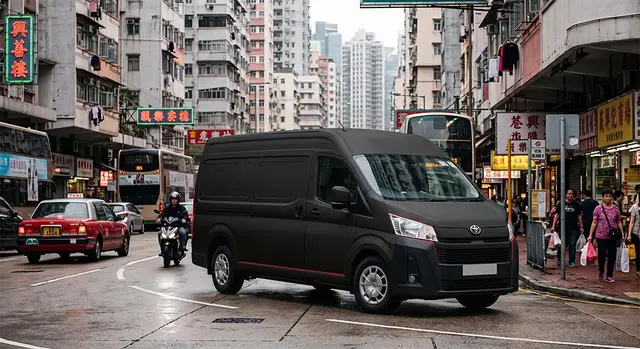
Give customers the flexibility to choose home delivery or pickup from over 1,200 SF Express pickup points and SF Lockers across Hong Kong. Reduce manual address entry and create a smoother checkout experience.
Hong Kong Pickup Points
Let customers choose from 1,200+ SF Express pickup points and SF Lockers. Their shipping address is filled in automatically at checkout.

Hong Kong customers often prefer SF Express pickup points and SF Lockers, but Shopify checkout expects customers to enter a full shipping address. That creates friction, address mistakes, and lost sales for local merchants.
The app lets shoppers choose an SF Express pickup point or SF Locker from a map or list, then continue to checkout with the shipping address filled in automatically. No coding required. Works on every Shopify plan—Shopify Plus not required.

Give customers the flexibility to choose home delivery or pickup from over 1,200 SF Express pickup points and SF Lockers across Hong Kong. Reduce manual address entry and create a smoother checkout experience.

Make pickup selection effortless with interactive maps, nearby search, and convenient filtering by area, district, or provider.
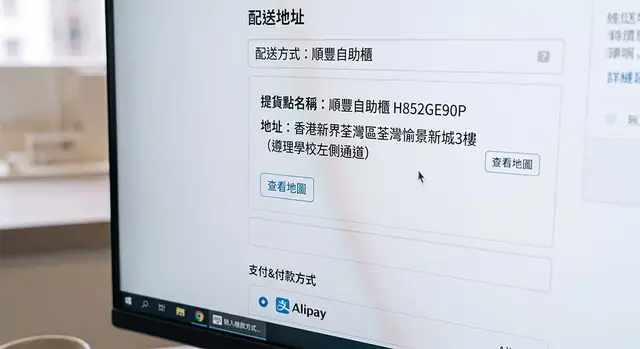
Customers simply choose a pickup point and continue to checkout with the shipping address already filled in.

Add retail stores, warehouses, or partner locations as pickup points. Display business hours, addresses, and pickup information to provide a custom-branded pickup experience.
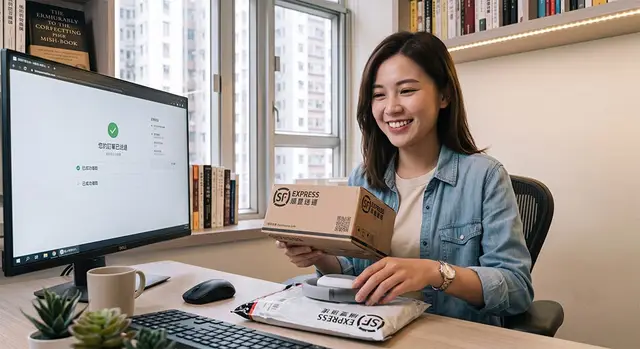
Tailor UI text, customer instructions, and pickup point names to match your brand and create a consistent shopping experience.

Support English, Traditional Chinese, and Simplified Chinese while giving customers access to the SF Express pickup network across Hong Kong.
$4.99 USD / per month
Perfect for merchants who want an easy way to offer SF Express pickup in Shopify.
$14.99 USD / per month
Ideal for merchants who need advanced customization and a custom-branded pickup experience.
Hong Kong Pickup Points is a Shopify app that lets your customers choose home delivery or pickup from SF Express pickup points and SF Lockers across Hong Kong. Instead of typing a full shipping address, shoppers select a pickup point from an interactive map or list, and the shipping address is filled in automatically at checkout.
The app gives access to 1,200+ SF Express pickup points and SF Lockers in Hong Kong, with pickup points kept up to date automatically. On the Pro plan, you can also add unlimited custom retail store pickup points (your own shop, warehouse, or partner stores) with business hours and address information.
When a customer clicks Checkout, they can choose Home Delivery or Pickup from Locker/Point. If they choose pickup, they browse pickup points by area, district, provider, list, or map—including nearby search on mobile using the customer's location. After they confirm a pickup point, they continue to Shopify checkout with the shipping address filled in from their selection.
The app works with most Shopify stores. If your theme supports Online Store 2.0, you enable the theme app extension in the Shopify Theme Editor (recommended). If your theme is older, the app can fall back to a checkout script (script tag) so pickup still works. Setup is guided inside the app after installation.
The customer-facing pickup flow supports English, Traditional Chinese (zh-HK), and Simplified Chinese (zh-CN). On the Pro plan, you can customize customer-facing labels and instructions to match your brand across those languages.
| Feature | Starter ($4.99/mo) | Pro ($14.99/mo) |
|---|---|---|
| SF Express pickup points & SF Lockers | ||
| Maps & nearby search | ||
| Automatic pickup point updates | ||
| Multilingual support | ||
| Custom retail store pickup points | — | Unlimited |
| Custom text labels & naming | — |
Both plans include a 14-day free trial. Billing is handled through Shopify.
Yes. Both Starter and Pro include a 14-day free trial. You can install the app from the Shopify App Store, choose a plan, and try the full pickup experience on your store before you are charged.
Most merchants can get started in under 30 minutes. The in-app Getting Started guide walks you through: choosing a plan → installing on your storefront → enabling the app in Settings → (optional) adding custom retail stores and customizing wordings. You can test the flow by adding a product and going through checkout.
Yes. In Settings, you choose which providers and service areas to offer, turn the app on or off, and optionally enable features like map view and retail store pickup (depending on your plan). This lets you limit pickup to the regions and options that match your shipping strategy.
No. The app runs before Shopify’s standard checkout, so it works on every Shopify plan—Shopify Plus is not required.
No. Hong Kong Pickup Points includes an interactive map and the supporting infrastructure. You do not need to apply for a Google Maps API key or manage map services yourself.
When a customer selects a pickup point, that choice is used in the browser to pre-fill the Shopify checkout shipping address—we do not store customer orders or pickup selections on our servers. If a customer uses nearby search, their coordinates are used only to return nearby results and are not retained. For full details, see our Privacy Policy.